Hit enter to search or ESC to close
Close Search
Lesterbanks
search
Menu
  • Daily News
  • Features
    • Articles
    • Featured Tutorials
  • Articles
  • Tutorial Library
    • After Effects Tutorials
      • Animation
      • Motion Graphics
      • Compositing
    • Blender Tutorials
      • Modeling
      • Dynamics
      • Rendering
    • Cinema 4D tutorial
      • Cinema 4D Modeling Tutorials
      • Cinema 4D Animation Tutorials
      • Cinema 4D Rendering Tutorials
      • Cinema 4D Xpresso Tutorials
    • Maya Tutorials
      • Modeling
      • Animation
      • Dynamics
      • Rigging
      • Texturing
      • Rendering
    • Mocha Tutorials
      • Tracking
      • Removal
      • Rotoscoping
    • MudBox Tutorials
      • Sculpting
      • Workflow
    • Nuke Tutorials
    • Houdini Tutorials
    • RealFlow Tutorials
    • Rendering Tutorials
      • Arnold Render Tutorials
      • V-Ray Tutorials
    • Softimage Tutorials
    • SynthEyes Tutorials
    • ZBrush Tutorials
  • Contribute
  • About
  • Contact
  • search
  • Menu
3Danimationvfx

Division & Unity from ODD NY

animation

CUCO

animation

Cause + Effect’s Knocked Up! | Lifetimes Series Launch

animation

Untitled Love

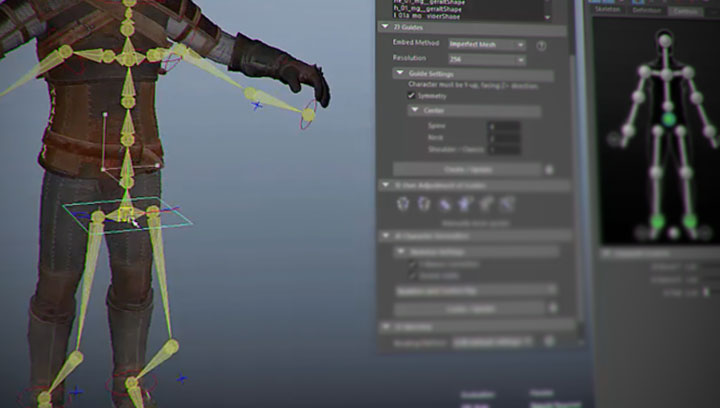
Working With Maya’s Native Quick Rig Tool
mayamaya rigging tutorialsmaya tutorialstutorials

Working With Maya’s Native Quick Rig Tool

How To Extrude a Perfect Circle From Any Editable Object in C4D
Cinema 4DCinema 4D Modeling TutorialsCinema 4D tutorialtutorials

How To Extrude a Perfect Circle From Any Editable Object in C4D

Make Better Shape-Based Blobs in After Effects
after effectsafter effects tutorialstutorials

Make Better Shape-Based Blobs in After Effects

Image Engine Breaks Down Fantastic Beasts and Where to Find Them
vfx

Image Engine Breaks Down Fantastic Beasts and Where to Find Them

Adding Inserts Easily Using fayIN and After Effects
after effectstutorials

Adding Inserts Easily Using fayIN and After Effects

Arvid Schneider is taking a new direction with his MtoA series. Initially the 100 series dealt with getting new Arnold users comfortable with the new rendering engine bundled with Maya 2017. The new 200 series will look at reproducing materials from reference. Arvid plans a new shader.material a week. This week, we get a corrosion shader. Watch as the first of the 200 series looks into recreating a corrosion shader working from reference of corroded metal. The shader will be completely procedural, meaning that there will be no maps that drive any attributes within the shader. Arvid creates the corrosion shader by using multiple shaders. Instead of using the Layer Shader in Maya, the Layered Texture node is used to run lines to a single shader that drive different values within the shading network.
Arnold Rendermayamaya rendering tutorialsmaya texturing tutorialsmaya tutorialstutorials

Create a Corrosion Shader With Arnold

  • Previous
  • 1
  • …
  • 670
  • 671
  • 672
  • 673
  • 674
  • …
  • 1,778
  • Next
  • 4 Tips to Create Better Underwater Scenes With C4D and Redshift May 1, 2024
  • Siggraph Asia 2024 December 13, 2024
  • How to Relight VFX Elements Using a Normal Pass in After Effects December 3, 2021
  • Sauce 2 — Procrastination, from Animade November 20, 2016

LesterBanks Cookie Policy

Terms and Conditions

Disclosures


© 2025 Lesterbanks.

  • x-twitter
  • youtube
Close Menu
  • Daily News
  • Features
    • Articles
    • Featured Tutorials
  • Articles
  • Tutorial Library
    • After Effects Tutorials
      • Animation
      • Motion Graphics
      • Compositing
    • Blender Tutorials
      • Modeling
      • Dynamics
      • Rendering
    • Cinema 4D tutorial
      • Cinema 4D Modeling Tutorials
      • Cinema 4D Animation Tutorials
      • Cinema 4D Rendering Tutorials
      • Cinema 4D Xpresso Tutorials
    • Maya Tutorials
      • Modeling
      • Animation
      • Dynamics
      • Rigging
      • Texturing
      • Rendering
    • Mocha Tutorials
      • Tracking
      • Removal
      • Rotoscoping
    • MudBox Tutorials
      • Sculpting
      • Workflow
    • Nuke Tutorials
    • Houdini Tutorials
    • RealFlow Tutorials
    • Rendering Tutorials
      • Arnold Render Tutorials
      • V-Ray Tutorials
    • Softimage Tutorials
    • SynthEyes Tutorials
    • ZBrush Tutorials
  • Contribute
  • About
  • Contact