Hit enter to search or ESC to close
Close Search
Lesterbanks
search
Menu
  • Daily News
  • Features
    • Articles
    • Featured Tutorials
  • Articles
  • Tutorial Library
    • After Effects Tutorials
      • Animation
      • Motion Graphics
      • Compositing
    • Blender Tutorials
      • Modeling
      • Dynamics
      • Rendering
    • Cinema 4D tutorial
      • Cinema 4D Modeling Tutorials
      • Cinema 4D Animation Tutorials
      • Cinema 4D Rendering Tutorials
      • Cinema 4D Xpresso Tutorials
    • Maya Tutorials
      • Modeling
      • Animation
      • Dynamics
      • Rigging
      • Texturing
      • Rendering
    • Mocha Tutorials
      • Tracking
      • Removal
      • Rotoscoping
    • MudBox Tutorials
      • Sculpting
      • Workflow
    • Nuke Tutorials
    • Houdini Tutorials
    • RealFlow Tutorials
    • Rendering Tutorials
      • Arnold Render Tutorials
      • V-Ray Tutorials
    • Softimage Tutorials
    • SynthEyes Tutorials
    • ZBrush Tutorials
  • Contribute
  • About
  • Contact
  • search
  • Menu
Easily Create Clean Plates in After Effects With the New Superpose Plugin SuperPose After Effects
after effects

Easily Create Clean Plates in After Effects With the New Superpose Plugin

Realistic Puddles in Blender
Blender Rendering Tutorialsblender3dBlender3D tutorialstutorials

Create Realistic Wet Looking Puddles in Blender

Converting Maya Bifrost Files to the Krakatoa Particle File Format
mayamaya dynamics tutorialmaya tutorialstutorials

Converting Maya Bifrost Files to the Krakatoa Particle File Format

After Effects Eyes Preset
after effects

Download a Free After Effects Character Eyes Preset

Maya ShellMod 2
maya

Sneak Look at ShellMod 2 for Maya

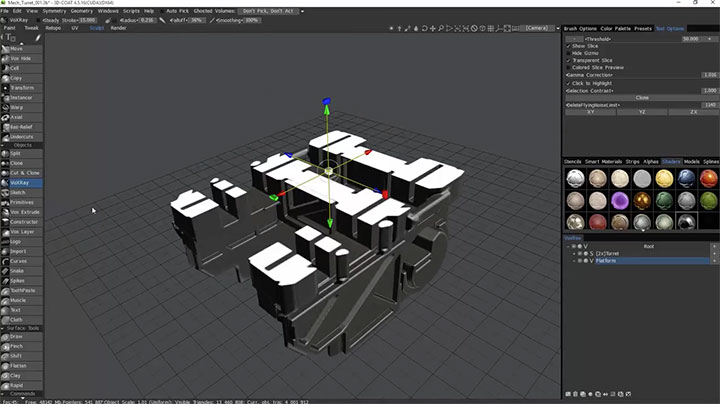
Using the VoxRay Tool in 3D Coat
3DCoattutorials

Using the VoxRay Tool in 3D Coat for Revealing and Slicing Your Model

Outdoor Lighting Tips With Maya's Viewport 2
mayamaya rendering tutorialsmaya tutorialstutorials

Outdoor Lighting Tips With Maya’s Viewport 2

Using IK rigs with cMotion
Cinema 4DCinema 4D Animation TutorialsCinema 4D tutorialtutorials

Creating a Walk Cycle With cMotion in C4D
Ornatrix hair for Maya
maya

Ornatrix Popular Hair & Feather System for 3ds Max Makes its Way to Maya

Rig a Simple Character Using DUIK 15 in After Effects
after effectsAfter Effects Animation Tutorialsafter effects tutorialstutorials

DUIK 15, Rig a Simple Character in After Effects

  • Previous
  • 1
  • …
  • 835
  • 836
  • 837
  • 838
  • 839
  • …
  • 1,778
  • Next
  • 4 Tips to Create Better Underwater Scenes With C4D and Redshift May 1, 2024
  • Sauce 2 — Procrastination, from Animade November 20, 2016
  • Siggraph Asia 2024 December 13, 2024
  • How to Relight VFX Elements Using a Normal Pass in After Effects December 3, 2021

LesterBanks Cookie Policy

Terms and Conditions

Disclosures


© 2026 Lesterbanks.

  • x-twitter
  • youtube
Close Menu
  • Daily News
  • Features
    • Articles
    • Featured Tutorials
  • Articles
  • Tutorial Library
    • After Effects Tutorials
      • Animation
      • Motion Graphics
      • Compositing
    • Blender Tutorials
      • Modeling
      • Dynamics
      • Rendering
    • Cinema 4D tutorial
      • Cinema 4D Modeling Tutorials
      • Cinema 4D Animation Tutorials
      • Cinema 4D Rendering Tutorials
      • Cinema 4D Xpresso Tutorials
    • Maya Tutorials
      • Modeling
      • Animation
      • Dynamics
      • Rigging
      • Texturing
      • Rendering
    • Mocha Tutorials
      • Tracking
      • Removal
      • Rotoscoping
    • MudBox Tutorials
      • Sculpting
      • Workflow
    • Nuke Tutorials
    • Houdini Tutorials
    • RealFlow Tutorials
    • Rendering Tutorials
      • Arnold Render Tutorials
      • V-Ray Tutorials
    • Softimage Tutorials
    • SynthEyes Tutorials
    • ZBrush Tutorials
  • Contribute
  • About
  • Contact