Hit enter to search or ESC to close
Close Search
Lesterbanks
search
Menu
  • Daily News
  • Features
    • Articles
    • Featured Tutorials
  • Articles
  • Tutorial Library
    • After Effects Tutorials
      • Animation
      • Motion Graphics
      • Compositing
    • Blender Tutorials
      • Modeling
      • Dynamics
      • Rendering
    • Cinema 4D tutorial
      • Cinema 4D Modeling Tutorials
      • Cinema 4D Animation Tutorials
      • Cinema 4D Rendering Tutorials
      • Cinema 4D Xpresso Tutorials
    • Maya Tutorials
      • Modeling
      • Animation
      • Dynamics
      • Rigging
      • Texturing
      • Rendering
    • Mocha Tutorials
      • Tracking
      • Removal
      • Rotoscoping
    • MudBox Tutorials
      • Sculpting
      • Workflow
    • Nuke Tutorials
    • Houdini Tutorials
    • RealFlow Tutorials
    • Rendering Tutorials
      • Arnold Render Tutorials
      • V-Ray Tutorials
    • Softimage Tutorials
    • SynthEyes Tutorials
    • ZBrush Tutorials
  • Contribute
  • About
  • Contact
  • search
  • Menu
Use Python to Toggle Camera Visibility in C4D
Cinema 4D tutorialtutorials

Use Python to Toggle Camera Visibility in C4D

How To Set Up a Shadow Catcher with RedShift
mayamaya rendering tutorialsmaya tutorialsRedShifttutorials

How To Set Up a Shadow Catcher with RedShift

Some Tips for a Quick Retopo in Wrap3
3Dmayamaya tutorials

Some Tips for a Quick Retopo in R3DS Wrap3

Make 360 Footage Stabilization Easier With SkyBox Composer
after effects tutorialstutorials

Make 360 Footage Stabilization Easier With SkyBox Composer

C4D smoothing Deformer, Displacer tutorial
Cinema 4DCinema 4D tutorialtutorials

Creative Uses for the Displacer and Smoothing Deformer

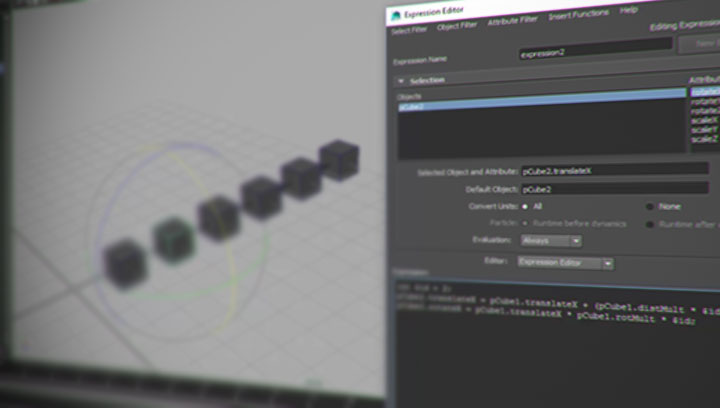
Need to create automatic animation for a particular thing? A Maya expression can do the trick. Anytime you need something more than a direct one to one connection, a Maya expression can make that easy. If you are just getting started with the expression syntax in Maya, there are a lot of great resources around for you to dive into. Patrick Woo, has been posting a few, helping new users get started and offering tips for more seasoned ones. Patrick Woo Ker Yang is a VFX Generalist TD at VHQ Media, and his latest post has a look into using a Maya expression that can drive multiple objects, in various ways. This can give you a simple rig where objects driven by a Maya expression can arrange themselves in interesting ways. Patrick’s set up has a slight offset in rotation and translation for every object, looking at the object’s values before it. So as the first cube moves along a designated axis, the spacing between the objects and the rotations react to that change. Simple, with some uses in real work!
mayamaya tutorialstutorials

Creating a Maya Expression That Drives Multiple Objects

In-depth explanation of the skipping motion in animation
animation

In-Depth Explanation of the Skipping Motion in Animation

UV Paint Will Incorporate MegaScan Objects
Cinema 4D

UV Paint Will Incorporate MegaScan Feature

Blackbird VFX’s Breakdown Shows Impressive Car Crash Views
vfxVFX Breakdown

Blackbird VFX’s Breakdown Shows Impressive Car Crash Views

A Grab-Bag of Shape and Vector Tips for After Effects
after effects tutorialstutorials

A Grab-Bag of Shape and Vector Tips for After Effects

  • Previous
  • 1
  • …
  • 655
  • 656
  • 657
  • 658
  • 659
  • …
  • 1,067
  • Next
  • 4 Tips to Create Better Underwater Scenes With C4D and Redshift May 1, 2024
  • Sauce 2 — Procrastination, from Animade November 20, 2016
  • Siggraph Asia 2024 December 13, 2024
  • How to Relight VFX Elements Using a Normal Pass in After Effects December 3, 2021

LesterBanks Cookie Policy

Terms and Conditions

Disclosures


© 2026 Lesterbanks.

  • x-twitter
  • youtube
Close Menu
  • Daily News
  • Features
    • Articles
    • Featured Tutorials
  • Articles
  • Tutorial Library
    • After Effects Tutorials
      • Animation
      • Motion Graphics
      • Compositing
    • Blender Tutorials
      • Modeling
      • Dynamics
      • Rendering
    • Cinema 4D tutorial
      • Cinema 4D Modeling Tutorials
      • Cinema 4D Animation Tutorials
      • Cinema 4D Rendering Tutorials
      • Cinema 4D Xpresso Tutorials
    • Maya Tutorials
      • Modeling
      • Animation
      • Dynamics
      • Rigging
      • Texturing
      • Rendering
    • Mocha Tutorials
      • Tracking
      • Removal
      • Rotoscoping
    • MudBox Tutorials
      • Sculpting
      • Workflow
    • Nuke Tutorials
    • Houdini Tutorials
    • RealFlow Tutorials
    • Rendering Tutorials
      • Arnold Render Tutorials
      • V-Ray Tutorials
    • Softimage Tutorials
    • SynthEyes Tutorials
    • ZBrush Tutorials
  • Contribute
  • About
  • Contact